1. Project Overview
TimeTracker Web App
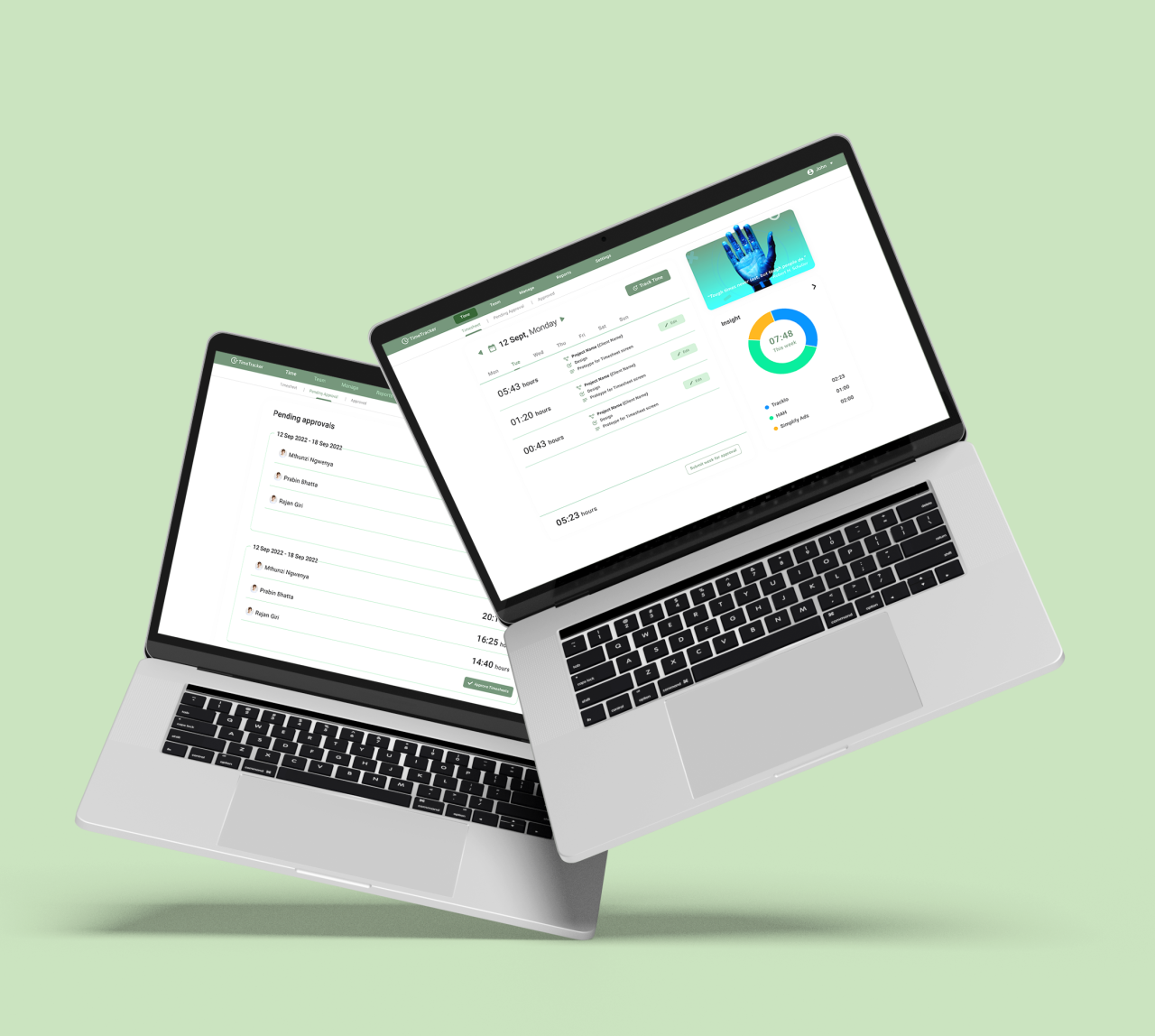
TimeTracker is a web application designed to help teams and managers efficiently track time, manage projects, and monitor team performance. The app provides features such as timesheet approval, project management, and team collaboration, all within a user-friendly interface.
2. Project Scope
- Timesheet Management: Developed a system for managing and approving timesheets, allowing managers to review and approve or withdraw approvals.
- Project Management: Implemented a project management module where users can create, manage, and track projects, including assigning team members and budgeting.
- Team Collaboration: Created tools for team collaboration, allowing managers to oversee team performance and task assignments.
- Reports and Analytics: Integrated a reporting feature for generating insights on time tracking and project progress.
3. Process
Research & Planning:
Conducted research to identify the key features needed for effective time tracking and project management. Focused on building a seamless workflow that facilitates team management and project oversight.
Design & Prototyping:
Designed a series of wireframes and prototypes to map out the user journey and interface elements. Gathered feedback to ensure the design meets user expectations and is intuitive to navigate.
Development & Testing:
Developed the web app using modern frameworks, ensuring scalability and performance. Conducted extensive testing to ensure accurate time tracking, smooth project management, and a responsive user interface.
4. The Problem
Before TimeTracker, teams faced challenges in managing timesheets and tracking project progress. Traditional methods of time tracking were prone to errors and inconsistencies, leading to inefficiencies in project management and delays in decision-making. Managers struggled with limited visibility into team performance and resource allocation, making it difficult to optimize workflows and improve productivity.
5. Tech Stack
- Frontend: HTML,Css,JsReact.js for building a dynamic and responsive user interface, ensuring a smooth user experience.
- Backend: Node.js with Express.js for handling server-side logic, API requests, and data processing.
- Database: MongoDB for a flexible, scalable data storage solution to manage user data, timesheets, and project information.
- Real-Time Communication: Socket.io for real-time updates and collaboration features, enhancing team communication.
- Testing & Quality Assurance: Jest and Cypress for unit and end-to-end testing, ensuring the app’s reliability and performance.
6. Key Features
- Timesheet Approval: Allows managers to review and approve timesheets submitted by team members. Provides options to withdraw approval if necessary.
- Project Management: Users can create new projects, set budgets, and assign team members. The app provides an overview of active projects and their respective budgets.
- Team Management: Includes tools for managing team members, including adding and assigning tasks to specific roles.
- Reports and Analytics: Generates reports that provide insights into team performance, project progress, and time allocation.
- User-Friendly Interface: A clean and organized interface with clear navigation options for easy access to different sections like Time, Team, Manage, Reports, and Settings.
7. Data-Driven Results
- Reduced Timesheet Errors by 40%: The timesheet management system significantly reduced errors in time tracking and approval, leading to more accurate reporting.
- Increased Project Efficiency by 30%: The project management tools improved resource allocation and task tracking, resulting in a 30% increase in project completion rates.
- Enhanced Team Collaboration: The integration of real-time communication and team management features led to a 25% increase in team engagement and collaboration.
- Improved Decision-Making: The reporting and analytics feature provided managers with actionable insights, reducing the time needed for decision-making by 20%.
8. Visuals
Include screenshots of the web app interface, showcasing:
- Timesheet Approval: The approved timesheets view, showing how managers can review and manage team timesheets.
- Project Management Dashboard: The project management interface, highlighting project creation, budget setting, and team assignment features.
- Add Project Screen: The project creation screen, showing how users can easily set up new projects.
- Reports Generation Interface: The reporting dashboard that provides insights into team performance and project progress.
9. Conclusion
The TimeTracker Web App successfully provides a comprehensive solution for managing time, projects, and team collaboration. With a focus on user experience and functionality, the app helps teams and managers streamline their workflows, enhance productivity, and gain valuable insights into their operations.